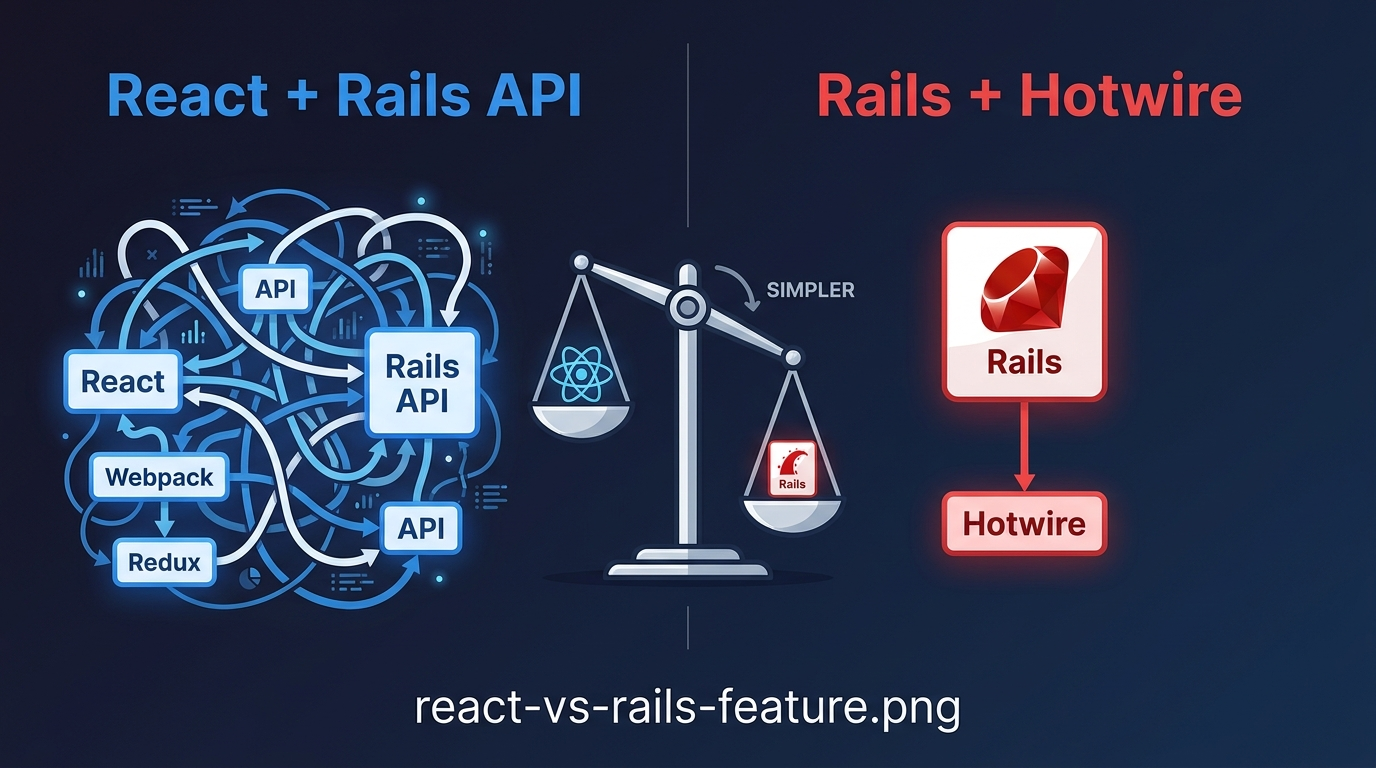
You're building a Rails app. Someone on your team says, We should use React for the frontend.
Maybe they're right. Maybe they're wrong.
Let me help you decide.
The Short Answer
Use React when you need complex, state-heavy interactions that feel like a desktop app.
Use Rails with Hotwire for everything else.
Most apps fall into everything else.
The Cost of Adding React
Before you add React, understand what you're signing up for.
Two Codebases
You now have a Rails API and a React frontend. They live separately. They deploy separately. They have separate dependencies, separate tests, separate build pipelines.
API Contracts
Every time you change how data is structured, you must update both sides. Add a field to a response? Update the React type definition. Change an endpoint? Update both.
This coordination slows you down. It introduces bugs when you forget to update one side.
Authentication Complexity
Session cookies don't work the same way across origins. You'll likely switch to JWT tokens. Now you manage token refresh, storage, and security.
More Moving Parts
- Webpack or Vite configuration
- CORS setup
- Environment variables for API URLs
- Different deployment workflows
Each moving part can break. Each one adds debugging time.
Slower Onboarding
New developers must learn Rails and React. They must understand how the two communicate. They must debug issues that span both.
When React Makes Sense
React is not always the wrong choice. Here's when it shines.
1. Complex, Interactive UI
Think Google Docs, Figma, or a drag-and-drop dashboard. You have many UI elements that update independently based on user actions.
Rails with Hotwire can handle simple interactions. It struggles with highly dynamic interfaces where dozens of components react to state changes.
2. Real-Time Collaboration
If multiple users edit the same data simultaneously, you need sophisticated client-side state management. React (with something like Yjs or Liveblocks) handles this well.
3. Offline-First Applications
If your app must work without an internet connection and sync later, you need a client-side data store. React Native or PWA with IndexedDB is the right tool.
4. Your Team Already Knows React
If your team has deep React expertise and no Rails frontend experience, the math changes. Developer productivity matters more than architectural purity.
5. You're Building a Mobile App First
React Native shares patterns with React. Using React on the web means you reuse components, hooks, and state management across web and mobile.
The Sweet Spot: Gradual Integration
You don't have to go all in. React can live inside your Rails app.
Option 1: React Components in Rails Views
Use the react-rails gem to sprinkle React components where you need them:
# Gemfile
gem "react-rails"
rails generate react:install
<%# app/views/projects/show.html.erb %>
<%= react_component("TaskList", { tasks: @tasks }) %>
The rest of the page is ERB. Only the complex part is React.
Option 2: Separate Frontend for One Section
Mount a React app on a single route:
# config/routes.rb
Rails.application.routes.draw do
  root "pages#home"

  resources :projects

  # Complex reporting dashboard
  get "/dashboard", to: "dashboard#index"
end
<%# app/views/dashboard/index.html.erb %>
<div id="dashboard-root"></div>
<%= javascript_pack_tag "dashboard" %>
Everything else stays in Rails.
Option 3: Rails API with React Frontend
When you need full separation, keep the Rails API simple:
# app/controllers/api/v1/tasks_controller.rb
class Api::V1::TasksController < ApplicationController
  def index
    tasks = Current.user.tasks
    render json: tasks
  end
end
Use jbuilder or jsonapi-serializer for consistent responses.
The Rails Alternative: Hotwire
Before committing to React, try Hotwire. It handles many dynamic
use cases with far less complexity.
Turbo Frames
<%= turbo_frame_tag "task_#{task.id}" do %>
  <%= task.name %>
  <%= link_to "Edit", edit_task_path(task) %>
<% end %>
Turbo Streams
<%= turbo_stream.append "notifications" do %>
  <div class="notification">
    New task assigned to you
  </div>
<% end %>
Stimulus
// app/javascript/controllers/clipboard_controller.js
import { Controller } from "@hotwired/stimulus"

export default class extends Controller {
  copy() {
    navigator.clipboard.writeText(this.element.dataset.text)
  }
}
<button data-controller="clipboard" data-clipboard-text="Hello" data-action="click->clipboard#copy">
  Copy
</button>
Most interactive features can be built with these tools. No separate frontend required.
Decision Framework
Ask these questions before choosing React.
Question 1: Do you need offline support?
- Yes: Consider React with PWA
- No: Continue
Question 2: Do you need real-time collaboration?
- Yes: React might be appropriate
- No: Continue
Question 3: Do you have complex, state-heavy UI?
- Yes: Evaluate if Hotwire can handle it
- No: Stick with Rails
Question 4: Does your team already know React?
- Yes: Consider gradual integration
- No: Stick with Rails
Question 5: Are you building a mobile app?
- Yes: React might make sense
- No: Stick with Rails
If you answered No
to most questions, you don't need React.
Real-World Example
A founder came to me with a dashboard app. Users could filter data, apply calculations, and export results.
He assumed he needed React. We built the prototype with Hotwire instead.
- Lines of code: 400 vs 2,000
- Development time: 5 days vs 3 weeks
- Deployment complexity: Simple vs two codebases
- Onboarding time: 1 day vs 1 week
The Hotwire version worked. Users loved it. He never added React.
Summary
| Use Rails + Hotwire | Consider React |
|---|---|
| Most B2B SaaS apps | Real-time collaboration |
| CRUD with simple interactions | Offline-first apps |
| Internal tools | Desktop-like complex UI |
| Marketing sites + blog | Mobile app with React Native |
| Solo founders or small teams | Team already knows React |
Getting Started with Hotwire
rails new myapp --javascript=importmap
Hotwire is the default. You're already set up.
Read the Hotwire documentation and build a small feature. You might be surprised how much you can do.
*Next post: Architecting Rails for Scale: From MVP to Millions (coming soon)

Leave a comment