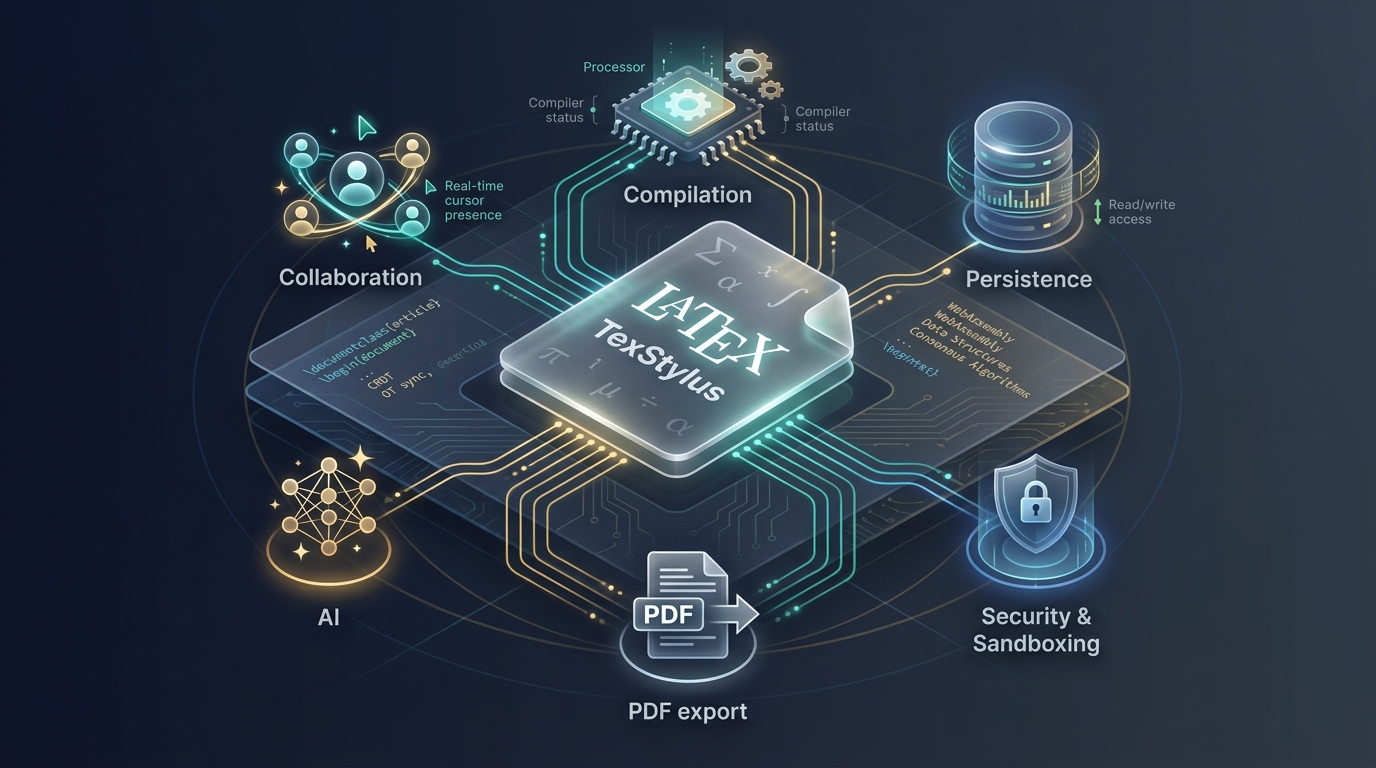
When we started building TexStylus, we thought we were building an editor.
That sounds obvious. You need a place to write LaTeX, a compiler to turn it into a PDF, and some collaboration features so other people can work on the same document.
How hard could that be?
Then the editor had to collaborate.
Then an AI assistant had to modify the document.
Then the document had to save reliably while several things were changing it at once.
Then compilation had to happen somewhere you couldn't trust the input.
Then we wanted to turn PDFs back into editable documents.
And suddenly, the editor wasn't really the problem anymore.
The interesting engineering was happening between the features.
A document could look correct in the editor while the server still had an older version. A perfectly valid PDF could represent a revision the user had already changed. An AI fix could appear on screen without actually becoming part of the shared document. A PDF could contain all the text you needed and still tell you almost nothing about the structure that text belonged to.
Those problems all looked different at first.
They weren't.
They kept leading us back to the same question.
What exactly is a document, once more than one system can read, change, compile, and interpret it?
That question ended up shaping more of TexStylus than the editor ever did.
Here are some of the things we learned.
We Thought the Document Was a String
The first mental model was simple:
.tex source → compiler → PDF
That is the visible part of the system, but it isn't the whole thing.
A real document looks more like this:
main.tex
├── sections/
├── figures/
├── bibliography.bib
├── custom.sty
├── template files
└── generated artifacts
And around those files lives a surprising amount of state.
Who can edit them. Who is online right now. Which revision is current. Whether the source has been persisted. Whether the PDF matches the source. Whether a compilation is already running. Which compiler configuration was used. Whether an import is still in progress.
Once you see all of that, the document stops looking like a string and starts looking like a small distributed system.
The detail that matters most is revision.
A PDF isn't just the PDF for this document.
It's the PDF generated from a specific revision of the document. That sounds like a small distinction until the first time you see it matter.
We eventually hit a case where the PDF on screen was correct, the source on the server was correct, and the compilation result was still wrong. The missing piece was that all three represented different revisions. The system was working exactly as designed. It just wasn't working on the same document.
That is when we stopped thinking of the document as text and started thinking of it as state with a history.
Then the Document Got Multiple Authors
The first time an AI-generated fix appeared in the editor and then disappeared the moment we compiled again, we learned something uncomfortable.
Changing the editor isn't the same as changing the document.
A single-user editor can usually get away with something like this:
function onChange(value: string) {
  save(value);
}
A collaborative editor cannot.
There may be local edits, remote edits, undo and redo, autosave, AI edits, compilation, reconnects, and persistence retries, all happening around the same document at the same time. The central question becomes uncomfortable very quickly.
Which state is authoritative?
The specific failure mode is worth walking through, because it looks harmless.
Imagine the AI corrects a line from \usepackage{booktabsx} to \usepackage{booktabs}.
The editor shows the correction. The user sees it. Everything appears fine.
But if the collaborative document state still contains the original line, then the UI is correct, the server is wrong, and the next compile will fail. Every individual piece of the system looks like it's working. The bug only exists in the space between them.
What we learned is that an AI edit is not a UI event. It is a document operation.
The safer model looks like this:
AI
 │
 ▼
Document operation
 │
 ├── collaborative state
 ├── editor view
 └── persistence
Instead of this:
AI
 │
 ▼
Editor UI
 │
 └── hopefully everything else notices
The editor becomes a projection of the authoritative state, not the source of truth. The collaboration mechanism itself is an implementation detail. The architectural principle is not:
There should be exactly one authoritative path for changing shared document state.
And that principle applies equally to AI assistants, formatting commands, refactoring tools, imports, and any future automated agent we add.
The autosave story is a variation of the same lesson.
Autosave is usually described as a convenience feature:
debounce(save, 2500);
And debouncing is genuinely useful. It reduces network traffic and it makes typing feel smooth. But a collaborative document has to distinguish between two very different promises.
We'll save this soon.
and
This change has definitely been persisted.
Those are not the same guarantee, and confusing them is expensive.
Picture an AI operation immediately followed by a compilation. The AI fixes the document. The compile starts. The autosave is still waiting out its debounce window. The compiler reads the old document. The user sees the fix. The compiler doesn't.
For operations that depend on persistence, we need an explicit boundary:
await applyDocumentEdit(edit);
await flushPersistence();
await compile();
Debouncing optimizes network traffic. It should never be responsible for correctness.
Then the Document Became an Untrusted Program
LaTeX looks like text.
It doesn't always behave like text.
At a basic level, compilation looks like a function call:
const result = await compile(source);
In production, it becomes a workload that needs isolation and resource control. A compilation request can involve malformed input, missing packages, large documents, expensive operations, generated files, compiler errors, long-running jobs, and multiple simultaneous users. And user-controlled LaTeX should never be treated as trusted application code.
A simplified boundary looks like this:
type CompileJob = {
  source: string;
  timeoutMs: number;
  memoryLimitMb: number;
};

async function compile(job: CompileJob) {
  return isolatedCompiler.run(job);
}
The important word is isolated.
The application coordinates compilation without letting document input reach the application's own filesystem, credentials, or network. That means limits around CPU, memory, execution time, concurrency, filesystem access, network access, and generated artifacts.
There is a second problem hiding inside compilation that only shows up once you have real users.
Suppose revision 41 is compiling. While it runs, somebody edits the document. The compiler eventually returns a PDF. Which revision does that PDF represent?
Obviously, revision 41.
So the application has to preserve that relationship, or the UI will happily show a PDF that no longer matches the source. The result needs to carry its own provenance.
type CompilationResult = {
  sourceRevision: number;
  pdfUrl: string;
  status: "success" | "failed";
};
Then the UI can reason about it:
if (result.sourceRevision === document.revision) {
  showAsCurrent(result);
} else {
  showAsPrevious(result);
}
That's the difference between here is the PDF
and here is the PDF corresponding to the source you are currently looking at.
For a document editor, that distinction matters enormously.
Then We Tried to Reconstruct Documents From PDFs
This is where the problem stopped being about architecture and started being genuinely interesting.
A PDF doesn't know what a paragraph is.
It's tempting to describe PDF-to-LaTeX as OCR, but that isn't what's happening. OCR reads text from an image. A PDF already contains text. What it doesn't necessarily contain is structure.
A page like this:
        Title

This is a paragraph containing
multiple lines of text.

        Figure 1
        [image]
might be stored as hundreds or thousands of positioned drawing and text fragments. The relationships between them have to be inferred.
glyph
 ↓
word
 ↓
line
 ↓
paragraph
 ↓
section
 ↓
document
None of those relationships are guaranteed to be explicit. Two pieces of text can be physically close and logically unrelated. A gap between two words might be a normal space, a column separation, a table boundary, an intentional layout choice, or a page artifact.
Tables make this especially obvious. A visual table:
┌──────────┬──────────┐
│ Parameter│ Value    │
├──────────┼──────────┤
│ pH       │ 7.4      │
│ Sodium   │ 140      │
└──────────┴──────────┘
may have no concept of rows, columns, or cells in the underlying file. The extraction system has to reconstruct those relationships from geometry and content.
The engineering distinction that matters is this one:
What is physically on the page?
             ↓
What does it mean?
             ↓
What should become editable?
Those are three different questions, and mixing them up is a mistake.
The principle we settled on was to preserve observations before interpreting them. Never throw away information before you know whether you'll need it. The physical layer records what was actually observed. The logical layer interprets those observations.
For example, a physical text fragment:
type PhysicalText = {
  text: string;
  page: number;
  bbox: BoundingBox;
  confidence: number;
};
might later be classified as:
type LogicalBlock = {
  kind: "paragraph" | "heading" | "caption";
  source: PhysicalText[];
};
Notice that the logical object still points back to the physical observations that produced it. That provenance is worth a lot. Instead of asking why did the extractor think this was a heading,
you can ask which observations caused this classification.
That is a much easier system to debug and improve.
Finally, AI Became Another Participant
It's easy to add an AI chatbot to a web application.
const response = await ai.chat({
  message,
});
That isn't the interesting part.
The interesting part is what the AI knows when it answers. A useful assistant on a technical-document platform needs context: the selected paragraph, surrounding sections, LaTeX syntax, equations, figures, references, compile errors, document history.
A document-aware operation looks more like this:
const context = await buildDocumentContext({
  document,
  selection,
  surroundingContent,
  relevantArtifacts,
});

const result = await ai.complete({
  instruction,
  context,
});
The provider doesn't matter. The context does.
But there's a bigger insight here, and it's the one that ties the whole article together.
Once AI can change the document, it inherits every problem the document already has.
It needs authoritative state. It needs persistence. It needs revision awareness. It needs compilation awareness. It needs permissions. It needs security boundaries. The AI isn't a chatbot sitting next to the editor. It's another participant in the document workflow, and it has to follow the same rules every other participant follows.
Which brings us back to the first lesson.
AI output that changes the document must become a real document operation.
The Editor Was Never Really the Product
Looking back, the editor was the easy part.
The hard part was keeping everything around it honest.
When someone edits a document, everyone else needs to see the same document.
When AI changes it, that change needs to become a real document change.
When the document is saved, the system needs to know what was actually persisted.
When a PDF is produced, the system needs to know which source revision produced it.
When LaTeX is compiled, the compiler needs to be treated as an untrusted workload.
When a PDF is imported, the system needs to preserve what it observed before deciding what those observations mean.
These aren't separate problems.
They're different manifestations of the same one.
Keeping a document coherent while many systems interact with it.
That turned out to be the real engineering problem behind TexStylus.
The editor is what users see. The document system is what makes the editor trustworthy.
And that's probably the biggest thing we learned from building it.
TexStylus is a collaborative LaTeX and technical-document workspace built around editing, compilation, collaboration, document extraction, and AI-assisted workflows.

Leave a comment