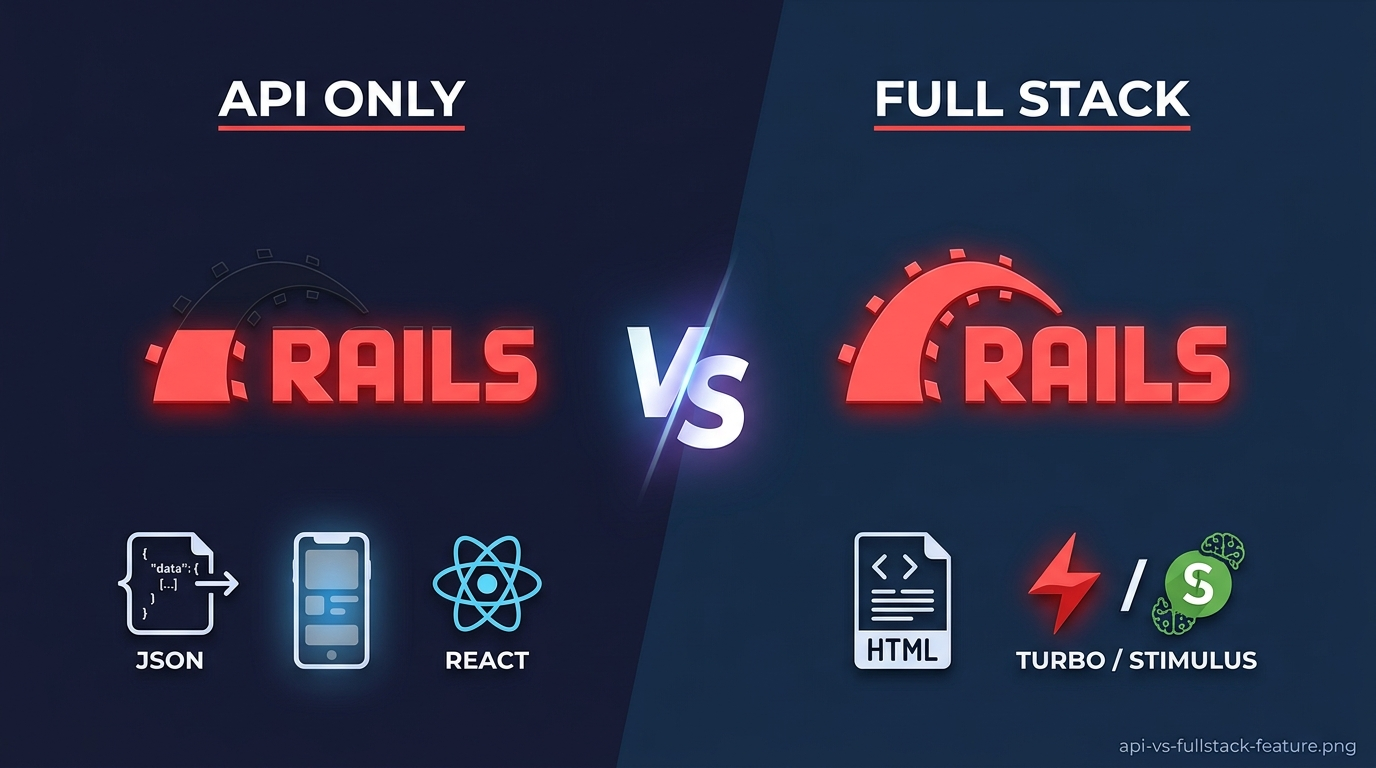
You're starting a new Rails project. You have a decision to make.
API only or full stack?
The answer isn't obvious. Both are valid. Both have trade-offs.
Let me help you choose.
The Short Answer
| Build | Best For | Skip If |
|---|---|---|
| Full Stack | Most web apps, solo developers, MVPs | You need a mobile app or separate frontend team |
| API Only | Mobile apps, separate frontend, microservices | You want simplicity and faster development |
For most projects, start with full stack. You can always extract an API later. Going the other direction is harder.
Part 1: What's the Difference?
Full Stack Rails
Rails serves both the backend and the frontend.
Browser → Rails (routes, controllers, views, assets) → Database
Everything in one place. One language. One deployment.
API Only Rails
Rails serves only JSON endpoints. A separate frontend consumes them.
Browser → React/Vue/Svelte → Rails API → Database
Two codebases. Two languages (maybe). Two deployments.
Part 2: Full Stack Rails
What You Get
# One controller handles everything
class PostsController < ApplicationController
  def index
    @posts = Post.all
  end
end
<%# One view renders the HTML %>
<% @posts.each do |post| %>
  <h2><%= post.title %></h2>
  <p><%= post.body %></p>
<% end %>
No API contracts. No CORS. No JSON serializers. Just Rails.
The Pros
| Benefit | Why It Matters |
|---|---|
| Faster development | No separate frontend to build |
| One language | Ruby everywhere |
| No API maintenance | Change a model, update the view, done |
| Hotwire/Turbo | Modern reactivity without JavaScript frameworks |
| Simpler deployment | One codebase, one server |
| Easier onboarding | New devs learn one stack |
The Cons
| Drawback | When It Hurts |
|---|---|
| Coupled frontend and backend | You want to add a mobile app |
| Server-rendered pages | You need highly interactive UI |
| Limited to web | You can't reuse backend for other clients |
Who Should Use Full Stack
You, if:
- Building a traditional web app (SaaS dashboard, internal tool, CRUD app)
- Working alone or on a small team
- Need to ship fast
- Don't need a mobile app yet
- Want simplicity over flexibility
Part 3: API Only Rails
What You Get
# rails new myapp --api
This generates a lean Rails app without middleware for views, cookies, or sessions (unless you add them).
# app/controllers/api/v1/posts_controller.rb
class Api::V1::PostsController < ApplicationController
  def index
    posts = Post.all
    render json: posts
  end
end
Your frontend (React, Vue, Svelte, mobile) calls this endpoint.
The Pros
| Benefit | Why It Matters |
|---|---|
| Reusable API | One backend serves web, mobile, third parties |
| Frontend freedom | Use any framework you want |
| Clear separation | Frontend and backend teams work independently |
| Lighter footprint | Less middleware, faster responses |
| JSON optimization | Built for API needs |
The Cons
| Drawback | When It Hurts |
|---|---|
| Two codebases | Twice the maintenance |
| API versioning | Breaking changes require coordination |
| Authentication complexity | JWT tokens, CORS, CSRF |
| More boilerplate | Serializers, documentation, testing |
| Slower development | Building two apps instead of one |
Who Should Use API Only
You, if:
- Building a mobile app (iOS and Android)
- Have a separate frontend team
- Need to serve multiple clients (web, mobile, partner API)
- Already committed to React or Vue
- Building a microservice
Part 4: The Hybrid Approach
You don't have to choose one or the other. Rails excels at gradual integration.
Start Full Stack, Add API Endpoints
Most successful Rails apps start full stack. Then they add API endpoints as needed.
# config/routes.rb
Rails.application.routes.draw do
  # Full stack routes
  resources :posts

  # API routes for mobile app
  namespace :api do
    namespace :v1 do
      resources :posts, only: [:index, :show]
    end
  end
end
One codebase. Two interfaces.
Use the Same Controllers for Both
class PostsController < ApplicationController
  def index
    @posts = Post.all

    respond_to do |format|
      format.html # index.html.erb
      format.json { render json: @posts }
    end
  end
end
Same logic. Different formats.
Add React Later with react-rails
# Gemfile
gem "react-rails"
rails generate react:install
<%# app/views/posts/index.html.erb %>
<%= react_component("PostList", { posts: @posts }) %>
You get React without a separate API.
Part 5: Making the Decision
Ask yourself these questions.
Question 1: Do you need a mobile app now?
| Answer | Verdict |
|---|---|
| Yes, immediately | Start with API only |
| Yes, eventually | Start full stack, add API later |
| No | Start full stack |
Question 2: Do you have a separate frontend team?
| Answer | Verdict |
|---|---|
| Yes | API only |
| No | Full stack |
Question 3: Is your UI highly interactive (like Figma)?
| Answer | Verdict |
|---|---|
| Yes | Consider API only or Hotwire |
| No | Full stack |
Question 4: Are you building a prototype or MVP?
| Answer | Verdict |
|---|---|
| Yes | Full stack (ship faster) |
| No | Consider API only |
Question 5: Does your team already know React?
| Answer | Verdict |
|---|---|
| Yes, deeply | API only or hybrid |
| No | Full stack |
Part 6: API Only Setup Guide
If you decide API only, here's how to start.
Create the App
rails new myapp --api --database=postgresql
Key Differences from Full Stack
# config/application.rb
module Myapp
  class Application < Rails::Application
    # API only means no view middleware
    config.api_only = true

    # No cookies or sessions by default
    # Add them if needed:
    # config.middleware.use ActionDispatch::Cookies
    # config.middleware.use ActionDispatch::Session::CookieStore
  end
end
Add Authentication (JWT)
# Gemfile
gem "jwt"
gem "bcrypt"
# app/controllers/api/v1/auth_controller.rb
class Api::V1::AuthController < ApplicationController
  def login
    user = User.find_by(email: params[:email])

    if user&.authenticate(params[:password])
      token = JWT.encode({ user_id: user.id }, Rails.application.secret_key_base)
      render json: { token: token, user: { id: user.id, email: user.email } }
    else
      render json: { error: "Invalid credentials" }, status: :unauthorized
    end
  end
end
CORS Configuration
# Gemfile
gem "rack-cors"
# config/initializers/cors.rb
Rails.application.config.middleware.insert_before 0, Rack::Cors do
  allow do
    origins "https://myfrontend.com", "http://localhost:3001"

    resource "*",
      headers: :any,
      methods: [:get, :post, :put, :patch, :delete, :options, :head],
      credentials: true
  end
end
Serializers for JSON
# Gemfile
gem "active_model_serializers"
rails generate serializer post
# app/serializers/post_serializer.rb
class PostSerializer < ActiveModel::Serializer
  attributes :id, :title, :body, :created_at
  belongs_to :user
end
# app/controllers/api/v1/posts_controller.rb
def index
  posts = Post.all
  render json: posts, each_serializer: PostSerializer
end
Part 7: Full Stack Setup Guide
If you decide full stack, here's how to optimize.
Create the App
rails new myapp --database=postgresql --css=bootstrap --javascript=importmap
Hotwire for Interactivity
Hotwire gives you SPA-like behavior without JavaScript frameworks.
<%# app/views/posts/index.html.erb %>
<%= turbo_frame_tag "posts" do %>
  <% @posts.each do |post| %>
    <div id="<%= dom_id post %>">
      <h2><%= post.title %></h2>
      <%= link_to "Edit", edit_post_path(post) %>
    </div>
  <% end %>
<% end %>
<%# app/views/posts/edit.html.erb %>
<%= turbo_frame_tag "posts" do %>
  <%= render "form", post: @post %>
<% end %>
Stimulus for JavaScript Behaviors
// app/javascript/controllers/clipboard_controller.js
import { Controller } from "@hotwired/stimulus"

export default class extends Controller {
  copy() {
    navigator.clipboard.writeText(this.element.dataset.text)
  }
}
<button data-controller="clipboard" data-clipboard-text="Copied!" data-action="click->clipboard#copy">
  Copy
</button>
Turbo Streams for Real-time Updates
<%# app/views/posts/create.turbo_stream.erb %>
<%= turbo_stream.append "posts" do %>
  <%= render @post %>
<% end %>

<%= turbo_stream.replace "post_form" do %>
  <%= render "form", post: Post.new %>
<% end %>
Part 8: Real-World Examples
Example 1: Basecamp (Full Stack)
Basecamp is the original Rails full stack app. They invented Hotwire. Their philosophy:
- One codebase
- Server-rendered HTML
- Stimulus for sprinkles
- Turbo for speed
They serve millions of users. No React needed.
Example 2: GitHub (Full Stack with API)
GitHub is full stack Rails. They also have a robust API.
Their approach:
- Most features are server-rendered
- API endpoints exist for mobile apps and third parties
- Same controllers serve HTML and JSON
Example 3: Shopify (API for Checkout)
Shopify is full stack for the admin. But their checkout is API-driven.
Why?
- Checkout must work across themes and apps
- Mobile SDKs need consistent APIs
- Partners build custom experiences
Example 4: A Mobile App Startup (API Only)
A startup building an iOS and Android app chooses API only.
Why?
- One backend serves both mobile apps
- Web app comes later (or never)
- Mobile team owns the frontend
Part 9: Migration Path
Starting full stack doesn't lock you in. You can add API endpoints later.
Phase 1: Full Stack
class PostsController < ApplicationController
  def index
    @posts = Post.all
  end
end
Phase 2: Add JSON Responses
class PostsController < ApplicationController
  def index
    @posts = Post.all

    respond_to do |format|
      format.html
      format.json { render json: @posts }
    end
  end
end
Phase 3: Extract API Namespace
# config/routes.rb
namespace :api do
  namespace :v1 do
    resources :posts, only: [:index, :show, :create]
  end
end
# app/controllers/api/v1/posts_controller.rb
class Api::V1::PostsController < ApplicationController
  skip_before_action :verify_authenticity_token
  before_action :authenticate_user!

  def index
    render json: current_user.posts
  end
end
Phase 4: Separate API and Web Controllers
At this point, you have two controllers. One for HTML. One for JSON. They can evolve independently.
Part 10: Performance Considerations
Full Stack Performance
| Factor | Impact |
|---|---|
| Server rendering | CPU usage on Rails server |
| Caching | Russian doll caching helps significantly |
| Asset delivery | CDN for static assets |
| Database queries | N+1 still matters |
API Only Performance
| Factor | Impact |
|---|---|
| Response size | JSON is smaller than HTML |
| Client rendering | Browser CPU usage (not your server) |
| API calls | Multiple round trips possible |
| Serialization | Can be slow with large datasets |
Benchmark Example
| App Type | Time to First Paint | Time to Interactive |
|---|---|---|
| Full Stack (cached) | ~150ms | ~300ms |
| Full Stack (uncached) | ~300ms | ~500ms |
| API + React | ~200ms (skeleton) | ~800ms (after JS loads) |
Full stack is often faster for content-heavy apps. API + SPA is often faster for app-like interfaces after initial load.
The Decision Matrix
| Your Situation | Recommendation |
|---|---|
| Solo developer, building MVP | Full stack |
| Small team, need to ship fast | Full stack |
| Building mobile app (iOS + Android) | API only |
| Already have React team | API only or hybrid |
| Building internal tool | Full stack |
| Building public API for third parties | API only |
| Need real-time collaboration | Full stack (Hotwire) or API + WebSockets |
| Not sure yet | Start full stack, extract API later |
Summary
Full stack Rails is underrated. API only Rails is overused.
| Full Stack | API Only | |
|---|---|---|
| Development speed | Fast | Slow |
| Complexity | Low | High |
| Flexibility | Low | High |
| Best for | Web apps, MVPs | Mobile apps, multiple clients |
| Learning curve | Gentle | Steep |
Start with full stack unless you have a specific reason not to.
You can always add API endpoints. You can always extract a separate frontend.
But starting API only when you don't need it is wasted time.
Build your app. Ship it. Then worry about architecture.
Your users don't care how you built it. They care that it works.

Leave a comment